Photo Mechanic® 6 and macOS 28
Will Photo Mechanic® 6 work on macOS 28? No.
Photo Mechanic® 6 was written for Intel Macs. On an Apple silicon Mac it only runs through Rosetta, Apple's translator, and Rosetta is going. Camera Bits® say that from macOS 28, Photo Mechanic® 6 won't run on Apple silicon Macs at all. Here's what that means, when it happens, and what you can do.
Checked 12 Nov 2026 against Camera Bits®' post "Photo Mechanic® 6 on Mac: It's Time to Plan Ahead" and Apple's own announcements.
The timeline
What happens, and when.
| macOS | Photo Mechanic® 6 on an Apple silicon Mac |
|---|---|
| macOS 26.4 (spring 2026) | Runs, but macOS starts warning that it "will not open in a future release of macOS" |
| macOS 27 (autumn 2026) | Runs. Apple has said this is the last version with general support for Intel apps |
| macOS 28 (expected autumn 2027) | Won't run. Rosetta stays only for a small set of older games |
Apple hasn't given a date for macOS 28. New versions of macOS usually come out in September or October.
Is yours affected?
Check your copy in ten seconds.
- Open Applications in Finder and click once on Photo Mechanic®.
- Choose File › Get Info (⌘I).
- Look at Kind. "Application (Intel)" means it needs Rosetta and stops at macOS 28. "Application (Universal)" runs natively.
Camera Bits® say this applies to Photo Mechanic® 6 and Photo Mechanic® Plus licences bought on or before 11 March 2024. No version of Photo Mechanic® Plus will work on Apple silicon once Rosetta ends.
Your options
Three ways forward.
- 1. Stay on macOS 27
- Photo Mechanic® 6 keeps working as long as you don't update to macOS 28. It buys time, but Camera Bits® point out that you'd eventually miss security updates and fixes.
- 2. Upgrade with Camera Bits®
- Photo Mechanic® 6 owners get upgrade pricing on the current Photo Mechanic®, as a subscription or a one-off licence. The coupon code shows in a dialog when Photo Mechanic® 6 opens (or Help › See Upgrade Options). Get it while it still opens.
- 3. Switch to an app built for Apple silicon
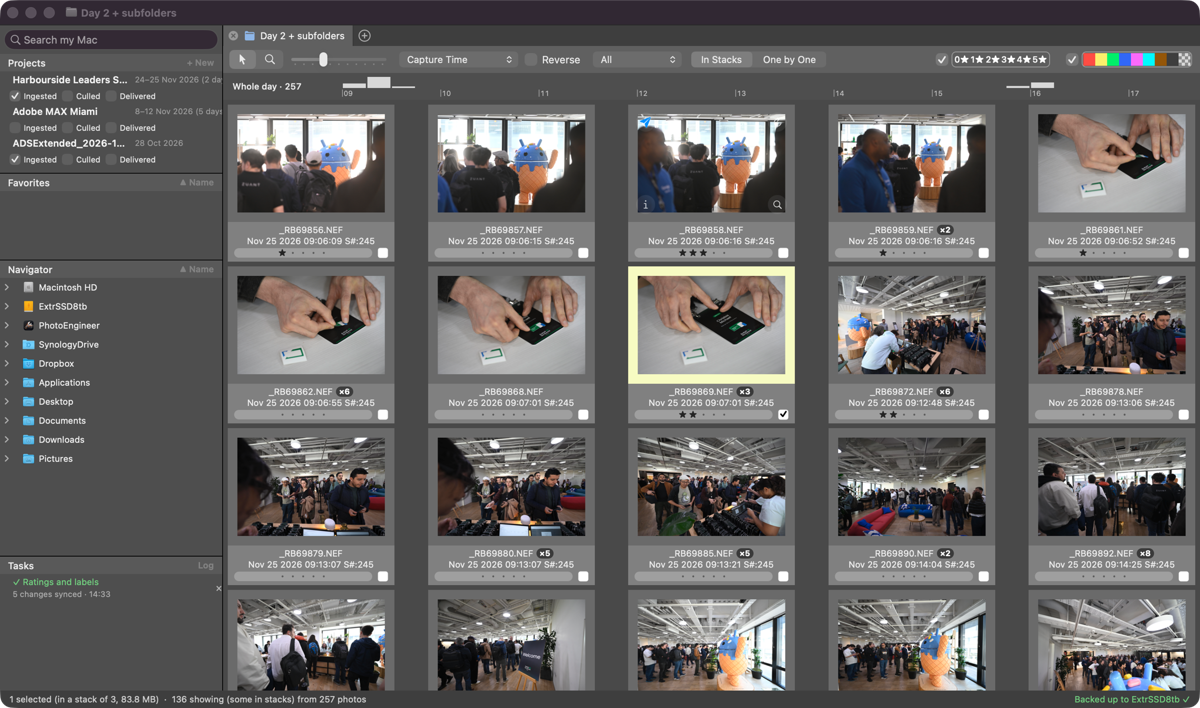
- That's why PhotoEngineer exists. It was built for Apple silicon from day one, does the ingest, view, rate and cull job Photo Mechanic® does, and uses the same keys. See it side by side.
If you switch
Nothing you've done gets lost.
Captions, keywords and credits written by Photo Mechanic® are standard IPTC and XMP, so PhotoEngineer reads them exactly as written. Your tags and colour classes come across too: PhotoEngineer uses Photo Mechanic®'s 8 classes and its tag field in the sidecar.
The keys are the ones in your fingers: 1 to 5 for stars, T to tag, Space for the Preview, arrows to move. Metadata templates, code replacements, batch rename with variables, FTP and Slide Show are all there, and your Photo Mechanic® Info view comes across.
Try it on a real job before you decide: everything works free for 14 days.
Mac with Apple silicon · macOS 26
Questions
The short answers.
Will Photo Mechanic® 6 work on macOS 28?
No. It runs on Apple silicon through Rosetta, and Camera Bits® say that from macOS 28 it will no longer run on Apple silicon Macs.
When does macOS 28 come out?
Apple hasn't said. New versions usually arrive in September or October, so expect it around autumn 2027.
Does Photo Mechanic® Plus have the same problem?
Yes. Camera Bits® say no version of Plus will work on Apple silicon once Rosetta support ends.
Can I keep using it if I don't update macOS?
Yes, on macOS 27 and earlier. Camera Bits® warn you'd eventually miss security updates and fixes.
What about an Intel Mac?
Photo Mechanic® 6 doesn't need Rosetta there. But macOS 26 was the last version for Intel Macs, so they won't get macOS 28 either way.
Will PhotoEngineer be affected?
No. It's built for Apple silicon and doesn't use Rosetta.
Photo Mechanic® and Camera Bits® are registered trademarks of Camera Bits, Inc. PhotoEngineer is an independent app and is not affiliated with, endorsed by or connected to Camera Bits®.